How to auto-DM everyone who comments on your Instagram post
Put "Comment LINK" in your caption and every person who does gets your link in their DMs within seconds, even at 3 AM. Here is the full setup, start to finish.
What you need first
- An Instagram Business or Creator account. Personal accounts can't connect to Meta's messaging API. Switching is free and takes about 30 seconds in Instagram's settings.
- The link you want to send: your course page, product, booking form, free guide or WhatsApp chat.
- One keyword your followers will comment, like LINK, PRICE or GUIDE. Our keyword playbook has ready-made ones for eight niches.
Set it up in six steps
-
1
Connect Instagram through Meta's login Choose Continue with Instagram or Continue with Facebook. Meta handles the sign-in, so the automation tool never sees your password.
-
2
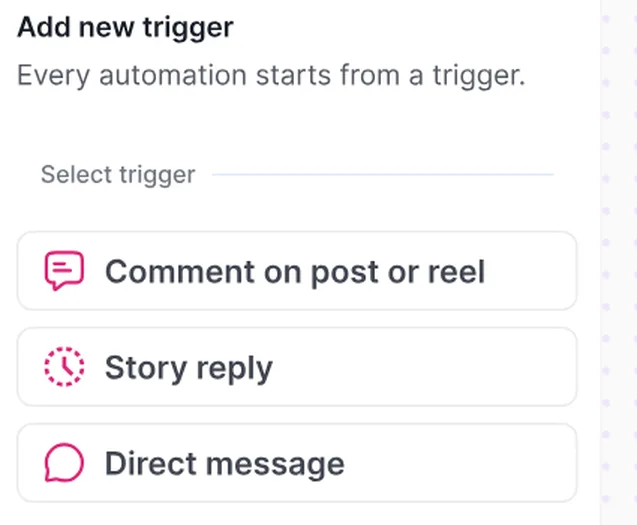
Choose what starts the automation Pick a comment on a post or Reel. The same builder also handles story replies and direct messages.
-
3
Pick the post and add your keyword Run it on one post, every post, or the next one you publish. Then add your keyword. Capitals don't matter, so LINK, Link and link all work, but the comment has to be the word on its own.

-
4
Write a few public replies Happilee posts a short reply under each comment, like "Sent you a DM 💌". Add three or four versions. One is picked at random each time, so your comment section never looks copied.
-
5
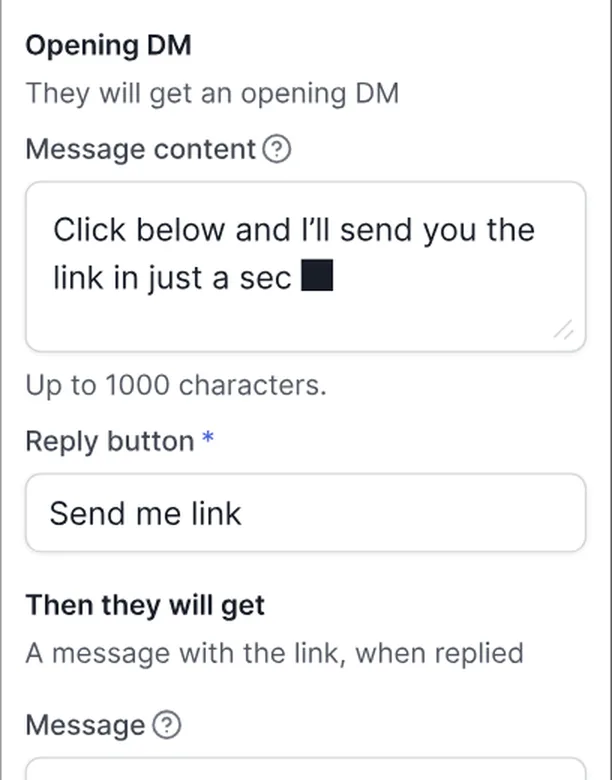
Write the opening DM with a button Keep it short and in your voice, then add a button such as "Send me link". When they tap it, the link arrives in the same chat.
-
6
Preview, then publish Run the whole conversation in the simulator to see exactly what a follower gets, then publish. From then on every matching comment gets the DM within seconds.
Why the DM starts with a button
Meta lets a business send one private reply to a comment. That first message doesn't open a conversation on its own. When the follower taps your button or replies, Instagram opens a 24-hour window in which you can send the link, answer questions and follow up.
So the button isn't decoration. It turns a one-off reply into a real conversation, and that is what makes follow-ups and team replies possible later.
What happens after the DM
Sending the link is step one. The accounts that turn comments into sales do three more things: they follow up with people who didn't act, they hand real questions to a person, and they check which posts and keywords actually convert. Our guide From comment to customer walks through all three.
When a DM doesn't send
| What you see | Likely reason | Fix |
|---|---|---|
| Someone commented but got no DM | They typed extra words, like "link pls" | Add "link pls" as another keyword, switch the trigger to Any Comment, or say "Comment LINK" in your caption |
| Followers say they can't find it | It landed in Message Requests, which depends on their account settings | Add "check your DMs" to your caption and public reply |
| Can't connect the account | It's a personal account | Switch to Business or Creator in Instagram settings |
| DMs arrive slower on a viral post | Meta caps how many DMs an account sends per hour | Nothing to do. Happilee queues them and sends in order |
| Hindi or Arabic keyword doesn't trigger | Non-Latin script keywords aren't supported yet | Use English letters, for example PRICE or KITNA |
Questions people ask
Can I auto-reply to Instagram comments for free?
Yes. Happilee has a free forever plan that sends an automatic DM to everyone who comments your keyword. No credit card needed.
Does the keyword have to match exactly?
Each keyword matches when the comment is that keyword on its own, and capitals don't matter. One automation can hold several keywords, so add the ways people really type it, like LINK and link pls. Or use the Any Comment trigger to reply to every comment on the post.
Can it reply to story replies and DMs too?
Yes. The same builder handles comments on posts and Reels, replies to your stories and direct messages.
Will my account get banned for auto-DMs?
Not when the tool uses Meta's official API and Meta's own login, and respects Meta's sending limits. Read Is Instagram DM automation safe? for the details.
How fast is the DM?
Usually within seconds. On a viral post, DMs queue within Meta's hourly limits and go out in order.
Keep reading
Send your first auto-DM today
Pick a keyword, write the DM once and Happilee replies to every comment, 24/7.
Start free →