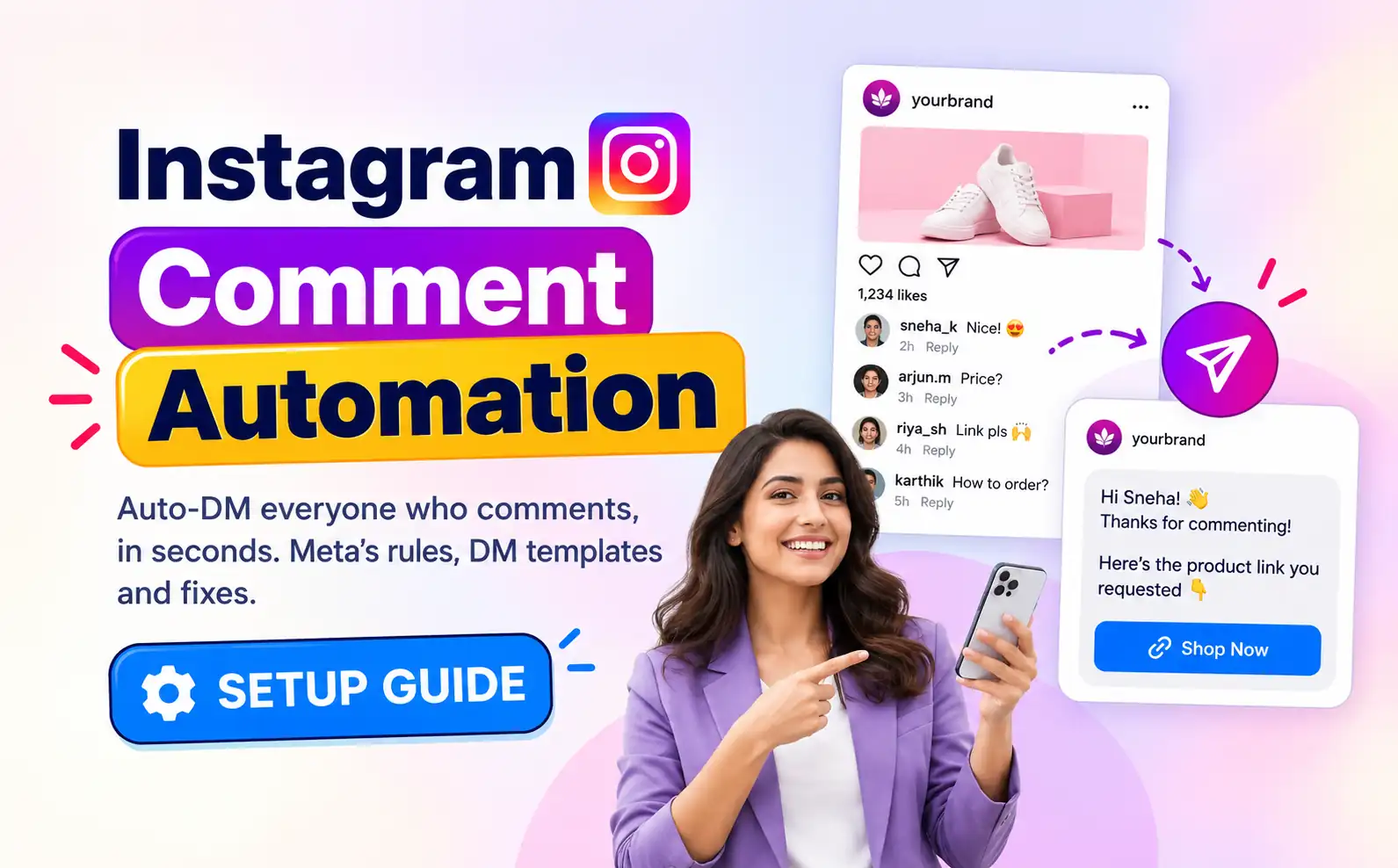

Instagram comment automation sends a private DM to everyone who comments on your post or Reel, usually within seconds. A follower comments a keyword like LINK, your tool posts a short public reply under the comment and drops your link, product or booking page into their inbox. No one on your team has to open the app.
This guide covers the whole job, not just the setup screen: the Meta rules every tool has to work within, a six-step setup, DM templates you can copy, how to test, what to do after the first DM, how to measure it, how to fix it when a DM doesn’t send and how Happilee, Wati, Interakt and ManyChat compare.
What is Instagram comment automation?
Instagram comment automation (also called comment-to-DM, Instagram comment auto-reply or Instagram auto reply for comments) watches the comments on your posts and Reels and replies to the ones that match a rule. The rule is usually a keyword. The reply has two parts:
- A public reply under the comment, such as “Sent you a DM 💌”. Other people see this, which tells them the offer is real and nudges them to comment too.
- A private reply in the commenter’s DMs. This is where the link, discount code, price list or booking slot goes.
Behind the scenes, the tool is using a Meta feature called Private Replies. It is the only approved way for a business to message someone because they commented, and it comes with rules. Most setup guides skip them, and that is why so many automations quietly fail.
Here is how one comment turns into a conversation:
- Someone comments your keyword on a post or Reel.
- Your tool matches the comment against your keywords.
- It posts a public reply under the comment.
- It sends one private reply: a short message with a button.
- The person taps the button, which opens a normal conversation.
- Your tool sends the link and any follow-ups, or hands the chat to a person.
Meta’s rules for comment-to-DM (read this before you build)
Every comment automation tool, whether it is Happilee, Wati, Interakt, ManyChat or anything else, runs on the same Meta rules. Knowing them saves you from building a flow that can’t work.
| Rule | What Meta allows | What it means for you |
|---|---|---|
| Messages per comment | One private reply per comment | Your first DM must earn a reply. Put a button in it. |
| Time limit | Within 7 days of the comment | You can’t DM people who commented weeks ago. Turn automation on before you post. |
| Follow-up messages | Only after the person replies, within 24 hours of that reply | The button tap is what unlocks the link and every follow-up. |
| Speed limit | 750 private replies per hour per account for post and Reel comments | On a viral post, DMs queue and go out in order. Nothing is lost. |
| Instagram Live | Private replies only while the broadcast is live | Once the Live ends, those commenters can’t get an automated DM. |
| Account type | Instagram professional account (Business or Creator) | Personal accounts can’t connect. Switching is free. |
Sources: Meta’s Private Replies documentation and messaging rate limits, checked October 2026.
One more thing Meta doesn’t control but you should expect: DMs from an account the person doesn’t follow can land in their Message Requests folder. It depends on their privacy settings, not on your tool. The fix is simple and covered below: tell people to check their DMs in your caption and in your public reply.
What you need before you start
- An Instagram Business or Creator account. Go to Settings, then Account type and tools, then Switch to professional account. It takes about 30 seconds and doesn’t change your followers or posts.
- The thing you want to send: a course page, product link, booking form, price list, free guide or a WhatsApp chat link.
- A keyword your audience will type, such as
LINK,PRICE,GUIDEorBOOK. Short, one word and easy to spell on a phone. - A tool on Meta’s official API. If a tool asks for your Instagram password instead of sending you to Meta’s own login screen, walk away. Our guide on whether Instagram DM automation is safe explains what to check.
You don’t need a paid plan to try this. Happilee’s Instagram comment automation has a free forever plan, no credit card needed, and you can connect through Meta’s Instagram login or Facebook login.
How to set up Instagram comment automation in 6 steps
These steps use Happilee, but the order is the same in any good tool. For every screen with screenshots, see our step-by-step guide to auto-DMing Instagram comments.
Step 1: Connect your Instagram account through Meta
Sign up, then choose Continue with Instagram or Continue with Facebook. Meta handles the login, so the tool never sees your password. When Meta asks which permissions to grant, allow all of them. Unticking the messaging or comments permission is the most common reason an automation connects but never fires.
Step 2: Choose what starts the automation
Pick comments on a post or Reel. The same builder also handles replies to your stories and incoming DMs, so you can run all three from one place later.

Step 3: Pick the post and set your keywords
Run the automation on one post, on every post, or on the next post you publish. “Next post” is the safest choice for a launch, because the automation is live the moment the post goes up and you don’t lose any of the first, busiest hour.
Then decide how comments should match. This is where most automations leak.
| Option | Use it when | Watch out for |
|---|---|---|
One keyword (e.g. LINK) |
Your caption says exactly what to type | People who add words (“link pls”) won’t match |
Several keywords (LINK, link pls, send link) |
You want to catch the ways people really type | Check comments after day one and add the misses |
| Any comment | Giveaways, launches, or posts where every comment is a lead | Spam and off-topic comments get the DM too |
In Happilee, a keyword matches when the comment is that keyword on its own, and capitals don’t matter, so LINK, Link and link all work. Keywords in non-Latin scripts such as Hindi or Arabic aren’t supported yet, so use English letters (PRICE, KITNA).

Step 4: Write three or four public replies
The public reply goes under each matching comment. Write three or four versions so your comment section doesn’t look like a bot wrote it. Happilee picks one at random each time. Good public replies do two jobs: confirm the DM is on its way, and tell people where to look.
- “Sent! Check your DMs 💌”
- “On its way to your inbox. Peek in Requests if you don’t see it.”
- “Done ✅ Link’s in your DMs.”
- “Check your messages, it’s there 👀”
Step 5: Write the opening DM, with a button
This is the one message Meta lets you send without a reply, so make it short, specific to the post and end it with a button. The button label should say what happens next: “Send me the link”, “Show me prices”, “Book my slot”. When they tap, the link arrives in the same chat. Happilee allows up to 1,000 characters, but the best opening DMs fit on a phone screen without scrolling.

Step 6: Preview, test from a second account, then publish
Run the conversation in Happilee’s simulator to see exactly what a follower gets. Then do one real test: comment your keyword from a second Instagram account (a friend’s or a spare one), not from the business account itself, and check the public reply, the DM, the button and the link. Only then add the “Comment LINK” line to your caption.
DM templates you can copy
A good opening DM has three parts: name the post so it doesn’t feel random, say what they’ll get, and end with one button. Here are ready-to-use versions. Swap in your own words and keep your usual tone.
Creator or coach · free guide
Hey! Thanks for commenting on my morning routine Reel 🙌 The full 7-step routine is in a free PDF. Want it?
Button: Send me the guide
D2C brand · product link
Hi! You asked about the linen co-ord set from today’s post. Sizes S to XXL are back in stock. Tap below for the link and today’s offer.
Button: Show me the set
Any business · price on request
Thanks for asking about pricing! I’ll send you the full price list for all three packages right here.
Button: Send prices
Clinic, salon, studio · booking
Hi! Glad the before-and-after caught your eye ✨ We have slots open this week. Want the booking link?
Button: Book my slot
Real estate · brochure
Thanks for your interest in the 2BHK project from our Reel. I can send the brochure, floor plans and site-visit dates.
Button: Send the brochure
Move the chat to WhatsApp
Hi! Easiest way to get your size and delivery date sorted is on WhatsApp, where our team replies fast. Tap below to start the chat.
Button: Chat on WhatsApp
For 50 more keywords, captions and DMs sorted by niche, see the Instagram comment keyword playbook.
Write a caption that gets the comment
The automation only works if people comment. The caption does that, so give the call to action its own line and make it obvious:
- Say the exact keyword in capitals: “Comment GUIDE and I’ll DM it to you.”
- Say what they get: “…the full 7-step checklist, free.”
- Say where to look: “Check your DMs (or Requests) after you comment.”
- Repeat it on screen in Reels. Many people never open the caption.
- Use one keyword per offer. Two offers on one post means two keywords and two automations.
What happens after the DM
Sending the link is the start. The accounts that turn comments into sales do three more things.
1. Follow up inside the 24-hour window
Once someone taps your button, Meta lets you message them for 24 hours after that reply. Use it. A single follow-up a few hours later (“Did you get a chance to look? Any questions on sizes?”) catches people who opened the link on the bus and forgot. Don’t send follow-ups to people who never tapped. Meta doesn’t allow it, and it wouldn’t reach them.
2. Hand real questions to a person
Some replies won’t be “thanks”. They’ll be “Does this come in blue?” or “Can I pay on delivery?”. Those are your hottest leads. Route them to a shared team inbox so a person answers inside the window, not three days later.
3. Move ready buyers to WhatsApp
For Indian businesses especially, the sale often closes on WhatsApp: order confirmations, payment links, delivery updates. The simplest way is to make WhatsApp the button’s destination: your DM sends a WhatsApp chat link, and the conversation continues where your team already sells. Our playbook from comment to customer covers this step by step.
How to measure whether it’s working
Track the automation as a funnel. Each drop tells you which part to fix.
| Stage | What to count | If it’s low, fix this |
|---|---|---|
| Comments | Keyword comments on the post | The offer or the caption’s call to action |
| DMs sent | Private replies sent ÷ keyword comments | Keyword matching. Add the variants people typed |
| Button taps | Taps ÷ DMs sent | The opening DM and the button label |
| Link clicks | Clicks ÷ links sent (use UTM tags) | The message that carries the link |
| Conversions | Orders, bookings or sign-ups from those clicks | The landing page, price or follow-up |
Add UTM tags to every link you send, for example ?utm_source=instagram&utm_medium=dm&utm_campaign=linen-launch, so your analytics shows which post and keyword actually sold.
Troubleshooting: when a DM doesn’t send
| What you see | Likely reason | Fix |
|---|---|---|
| Someone commented but got no DM | They typed extra words, like “link pls” | Add that phrase as a keyword, or switch to Any comment |
| Followers say they can’t find the DM | It landed in Message Requests | Add “check your DMs or Requests” to the caption and public reply |
| Can’t connect the account | It’s a personal account | Switch to Business or Creator in Instagram settings |
| Connected, but nothing fires | A permission was unticked during Meta login | Disconnect, reconnect and allow every permission Meta asks for |
| Older commenters got nothing | Their comments are more than 7 days old | Meta doesn’t allow it. Turn automation on before you post |
| Live commenters got nothing | The broadcast had ended | Live comments can only get a DM during the Live |
| DMs arrive slowly on a viral post | Meta’s 750-per-hour cap | Nothing to do. Happilee queues them and sends in order |
| Follow-up message didn’t go | The person never tapped the button or replied | Follow-ups need a reply first. Make the button more tempting |
| Hindi or Arabic keyword doesn’t trigger | Non-Latin keywords aren’t supported yet | Use English letters, such as PRICE or KITNA |
| Your test comment didn’t trigger | You commented from the business account itself, which isn’t a reliable test | Test from a second account |
Happilee vs Wati vs Interakt vs ManyChat for Instagram comment automation
All four tools run on Meta’s official API, so the rules above are the same for each: one private reply per comment, 7 days to send it and 750 replies an hour. What differs is who each tool is built for, how you pay and how much control you get over keywords and replies.
| Happilee | Wati | Interakt | ManyChat | |
|---|---|---|---|---|
| Built for | Instagram DM automation, India-first | WhatsApp-first platform that adds Instagram | WhatsApp-first platform that adds Instagram | Instagram and Messenger automation, global |
| Free option | Free forever plan: 500 automated conversations a month, 3 automations, no card | No free plan. 7-day free trial | No free plan. 14-day free trial | Free plan: 25 active contacts a month, 4 live automations |
| Paid plan from | ₹249/month + GST (Pro), or ₹2,490/year | $59/month billed annually (Growth) | ₹999/month + taxes (Instagram Automation plan) | $39/month, or $29/month billed annually (Pro) |
| What the price is based on | Automated conversations. Contacts aren’t capped | Plan tier and number of users | Flat. Unlimited DMs and comments | Active contacts. 2,500 included on Pro, then overage |
| Payment | Rupees, UPI, monthly or annual | US dollars on the pricing page | Rupees | US dollars, varies by billing country |
| How you connect | Instagram or Facebook login through Meta | Meta login, with a linked Facebook Page | Meta’s official API (setup steps not published) | Instagram login. No Meta Business account needed |
| Keyword matching | Whole word, any case. Many keywords per automation, or Any comment | Contains, exact or fuzzy | Keyword-based auto-replies (matching options not published) | Chosen words or any comment |
| Rotating public replies | Yes, picked at random | Not described in Wati’s setup guide | Custom auto-replies | Yes, up to 3 rotated |
| Follow before the link | Not listed | Not described | Follow-for-giveaway automation | Yes, asks non-followers to follow first |
| Branding on the free option | “Powered by Happilee” on the first DM. Removed on Pro | No free plan | No free plan | “Powered by Manychat” on the first message |
| Your DM can send a WhatsApp chat link | Core product | Core product, with an Instagram-to-WhatsApp lead workflow | Available on Pro as one of 3 channels |
Prices and limits as listed on each vendor’s own pricing and help pages on 28 October 2026, excluding taxes. Wati and ManyChat show US dollar prices, and ManyChat’s vary by billing country. Check each site before you buy.
Which one should you pick?
- Pick Happilee if you want to start free, pay in rupees by UPI and set up a comment automation on one screen. The cost is predictable: you pay for automated conversations, not for every contact a viral post brings in.
- Pick Wati if your team already runs WhatsApp on Wati and wants Instagram in the same inbox, and you’re comfortable with US dollar plans. Its fuzzy matching helps with messy comments.
- Pick Interakt if you already sell on WhatsApp through Interakt and want one flat ₹999 plan with unlimited comments and giveaway automation.
- Pick ManyChat if you need advanced flows, follow-before-link gating and lots of channels. Watch the active-contact pricing: 25 free contacts go in minutes on a busy post, and every new commenter counts toward your Pro limit.
For a wider checklist of what to ask any vendor, see how to choose an Instagram DM automation tool, or try Happilee’s Instagram DM automation free.
Frequently asked questions
Is Instagram comment automation free?
It can be. Happilee has a free forever plan with 500 automated conversations a month, with no credit card needed. Wati and Interakt offer free trials rather than free plans, and ManyChat’s free plan covers 25 active contacts a month.
Which is cheapest: Happilee, Wati, Interakt or ManyChat?
For Indian businesses, Happilee is the cheapest to start: a free forever plan, then Pro at ₹249 a month plus GST. Interakt’s Instagram plan is ₹999 a month plus taxes, Wati starts at $59 a month billed annually, and ManyChat Pro starts at $29 to $39 a month and rises with active contacts. Prices as listed on 28 October 2026.
Is it allowed? Will my account get banned?
Comment-to-DM is built on Meta’s own Private Replies feature, so it is allowed when the tool uses Meta’s official API, signs you in through Meta and stays within Meta’s limits. Tools that ask for your password or scrape Instagram are the ones that get accounts restricted.
Does it work on Reels, stories and Live?
Yes for posts and Reels. Story replies and DMs can trigger automations too. Live comments can get a private reply only while the broadcast is running.
Can I DM people who commented last week?
Only if they commented within the last 7 days. Meta doesn’t allow private replies to older comments, so switch the automation on before you publish.
Can I send more than one message?
Meta allows one private reply per comment. Once the person taps your button or replies, you can send more messages for 24 hours after that reply. That’s why the first DM should end with a button.
Do I need a Facebook Page?
Not with Happilee. You can connect through Meta’s Instagram login. You only need an Instagram Business or Creator account.
How fast does the DM arrive?
Usually within seconds. On a viral post, Meta’s limit of 750 replies an hour applies, so DMs queue and go out in order.