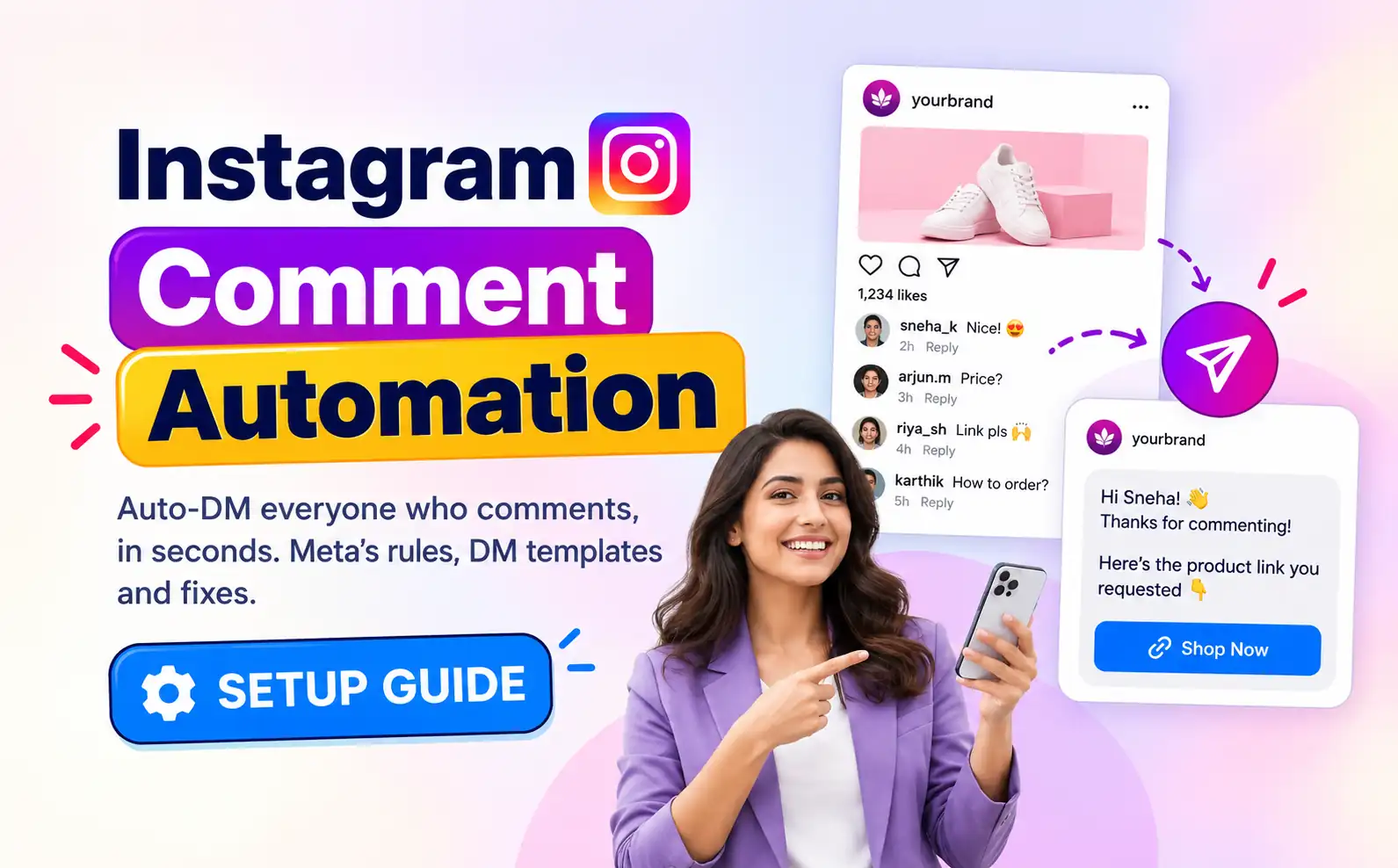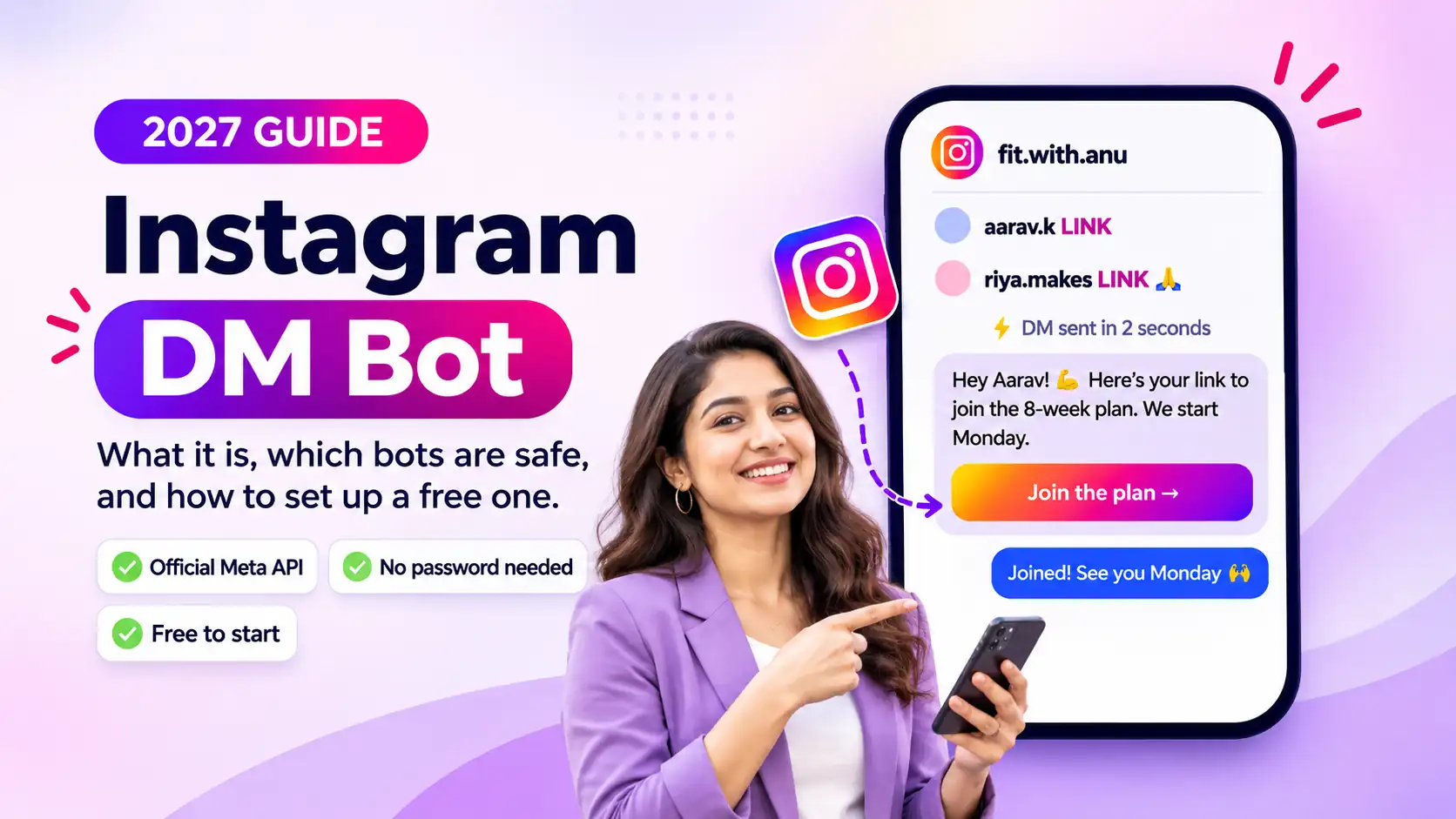

If you post Reels with “comment LINK to get it” in the caption, you already know the problem. Fifty comments in, you are still copy-pasting the same link into DMs, and the people who commented an hour ago have moved on. An Instagram DM bot fixes that by replying for you, in seconds, every time.
But “Instagram bot” also describes the shady follow-unfollow tools that get accounts restricted. So in this 2027 guide we cover what an Instagram DM bot actually is, how to tell a safe one from a risky one, whether a free IG bot is good enough, and how to set one up step by step.
Key takeaways
- An Instagram DM bot automatically sends direct messages when someone comments a keyword, replies to your story or messages you.
- Safe bots run on Meta’s official Instagram API and connect through Meta’s own login. They never ask for your password.
- Risky bots log in with your username and password and imitate a human in a browser. Those are the ones that get accounts flagged.
- A free IG bot is enough for most creators and small businesses to start. Paid plans matter once you need follow-ups at scale, a team inbox and reporting.
- Setup takes a few minutes: switch to a professional account, connect it, pick a keyword, write your DM and go live.
What is an Instagram DM bot?
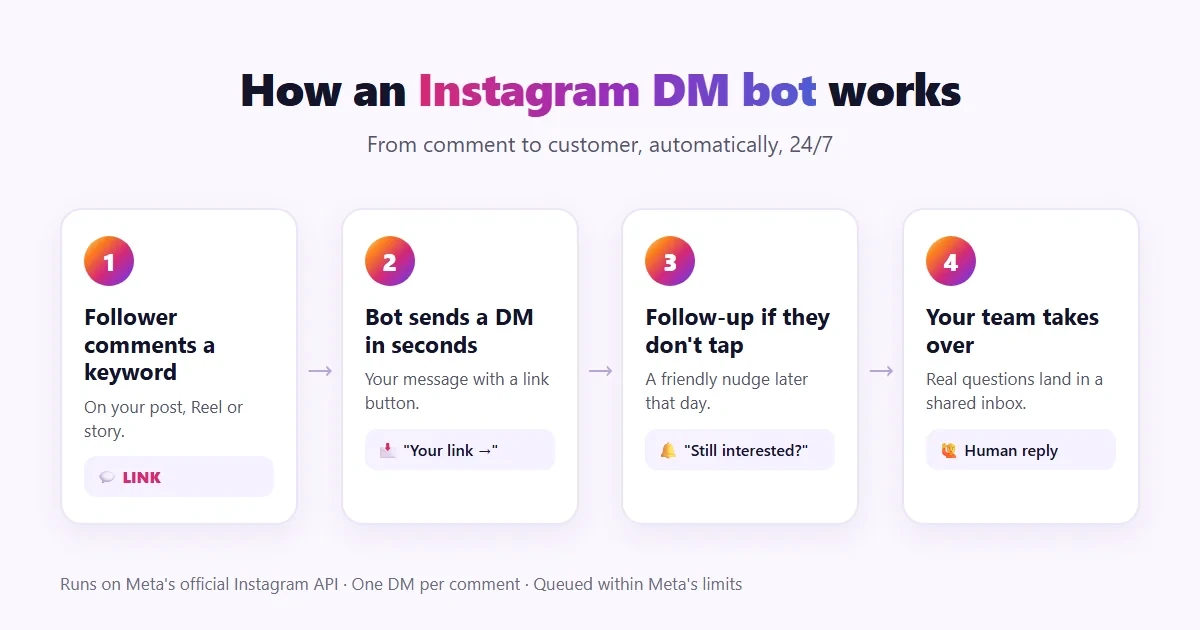
An Instagram DM bot is software that sends direct messages on your behalf based on a trigger. The most common trigger is a comment: someone comments a keyword like LINK, PRICE or GUIDE on your post or Reel, and the bot instantly sends them a DM with the link, offer or file you promised.
That is why these tools are also called comment-to-DM automation, Instagram auto DM tools or Instagram DM automation. The idea is the same: the follower asks, and the bot answers immediately, even at 3 a.m.
A good Instagram DM bot is not a chatbot that pretends to be you in every conversation. It handles the repetitive first reply, and then hands real questions to you or your team.
What can an Instagram DM bot do?
Depending on the tool, an Instagram DM bot can:
- Reply to comments with a DM. Comment a keyword on a post or Reel and get the link in your inbox.
- Answer story replies and story mentions. Someone replies to your story or tags you, and the bot sends a thank-you, a discount code or a link.
- Send a button, not just text. A “Shop now” or “Book a slot” button gets far more taps than a raw URL.
- Follow up. A gentle nudge later the same day for people who opened the DM but did not tap the link.
- Hand over to a human. When someone asks a real question, the chat lands in an inbox where you or a teammate can reply.
- Show what works. Track how many DMs each post sends, so you know which content brings in leads.
Here is how different accounts typically use one:
| Account type | Example keyword | What the bot sends |
|---|---|---|
| Content creators | LINK | Affiliate or product link from the latest Reel |
| Coaches and educators | MODULE | Course or webinar sign-up link |
| Fitness and wellness | PLAN | Programme PDF and a free trial class |
| E-commerce and D2C | SHOP | Product page with a Buy now button |
| Real estate | TOUR | Brochure, price sheet and site-visit booking |
| Retail stores | OFFER | Today’s offer and store location |
| Agencies and SaaS | DEMO | Demo booking link |
Need more ideas? Our Instagram keyword playbook has ready-to-copy keywords, captions and DMs for eight kinds of accounts.
Are Instagram DM bots safe?
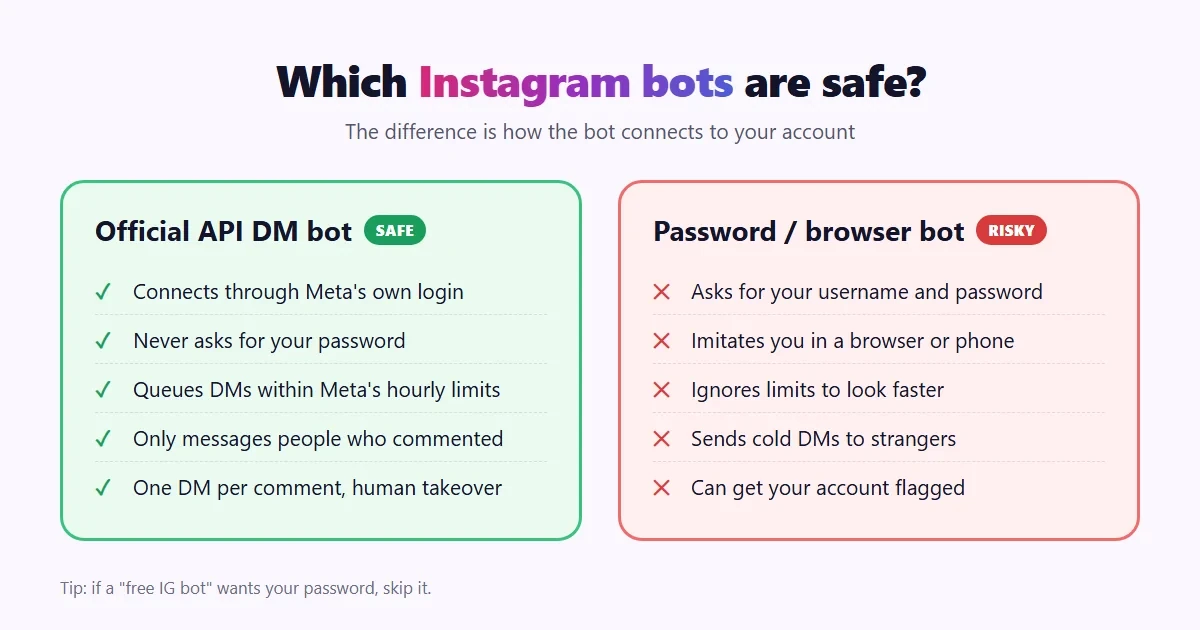
Short answer: yes, if the bot uses Meta’s official API. The risk comes from tools that log in with your password and fake human activity. There are two very different kinds of Instagram bots out there.
| Official API DM bots | Password or browser bots | |
|---|---|---|
| How you connect | Meta’s own login screen | Your Instagram username and password |
| How messages are sent | Meta’s messaging API | Imitating you in a browser or phone |
| Rate limits | Follows Meta’s limits and queues extra messages | Often ignores limits to look faster |
| Who gets messaged | Only people who commented, replied or messaged first | Often cold DMs to strangers |
| Risk to your account | Low. This is a supported feature | High. Can look like a hacked or spam account |
Comment-to-DM automation through the official Instagram Platform API is something Meta supports for business and creator accounts. Automated replies to people who commented your keyword are expected behaviour, because the person asked for that message.
Meta’s rules a safe Instagram DM bot follows
- One automated DM per comment. A comment earns one private reply, not a series of messages.
- The 24-hour window. Once someone replies or taps your button, you can keep messaging them for 24 hours. That is why your first DM should invite a tap.
- Hourly limits. Meta caps comment replies at roughly 750 an hour per account. On a viral post, a good bot queues the extra DMs instead of blasting them.
- Only message people who asked. Cold mass DMs are not allowed, whatever tool you use.
What actually gets accounts in trouble
- Giving your password to an unofficial tool, which can look like a hacked account to Instagram.
- Sending DMs faster than Meta allows, usually on a viral post with a tool that does not queue.
- Messaging people who never interacted with you, such as follow-for-follow or bulk DM schemes.
- Spammy messages: long blocks of text, several links or misleading claims.
A 6-point safety check before you pick a bot
- Does it connect through Meta’s login, without asking for your password?
- Does it use the official Instagram API?
- Does it queue messages within Meta’s hourly limits instead of dropping or blasting them?
- Does it stop at one DM per comment?
- Can a person take over the chat when needed?
- Is the company a verified Meta Business Partner?
If a tool fails any of these, skip it. For the full breakdown, read Is Instagram DM automation safe?
Is a free IG bot good enough?
For most creators and small businesses, yes. A free IG bot that runs on the official API will handle the core job: reply to keyword comments with a DM and a link, around the clock.
Be careful with “free” tools that are free because they skip the official API. If a free Instagram bot asks for your password, the price you pay is the risk to your account.
Here is what to expect at each level:
- Free is enough when you run a few keyword automations, post a few times a week and reply to the follow-up questions yourself.
- Paid starts to make sense when you need automatic follow-ups for everyone who did not click, a shared inbox for a team, several Instagram accounts in one place or reports for clients.
Happilee’s Instagram DM automation has a free forever plan with no credit card required, and it runs on Meta’s official Instagram API. You can start free and upgrade only when you outgrow it. If you are still comparing options, this checklist for choosing an Instagram DM automation tool lists the questions to ask every vendor.
How to set up an Instagram DM bot (step by step)
Here is how to set up a free Instagram DM bot with Happilee. The same steps apply to most official API tools.
Step 1: Switch to a professional account
Instagram only allows DM automation on professional accounts. In the Instagram app, go to Settings, then Account type and tools, and switch to a Business or Creator account. It is free and takes a minute.
Step 2: Allow access to messages
In Instagram, open Settings, then Messages and story replies, then Message controls, and turn on Allow access to messages under connected tools. Without this, no tool can send DMs for you. It is the number one reason DMs do not send.
Step 3: Sign up and connect Instagram
Create a free Happilee account and connect your Instagram through Meta’s login screen. You approve the permissions on Meta’s side, and Happilee never sees your password.
Step 4: Choose the post and keyword
Pick the post, Reel or story you want to automate. Then choose a trigger: a specific keyword such as LINK (matched in any case, so LINK, Link and link all work), or any comment on the post. You can use several keywords on the same post.
Step 5: Write your DM
Write the message once, in your own voice. Keep it short, greet the person and add your link as a button. For example:
Hey! Here’s your link to join the 8-week plan. We start Monday. [Join the plan]
Step 6: Add a follow-up
Add a follow-up for anyone who does not tap the button. A friendly reminder a few hours later recovers a lot of people who got distracted.
Step 7: Go live and test
Publish the automation and mention the keyword in your caption, for example “Comment LINK and I’ll DM you the plan.” Then test it by commenting from a different Instagram account. Your own account will not trigger a DM to itself.
Want screenshots of every screen? Our step-by-step guide on how to auto-DM everyone who comments on your Instagram post walks through it.
Instagram DM bot not sending messages? Check these
- Allow access to messages is off. Turn it on in Instagram’s message controls (Step 2).
- The account is a personal account. Switch to Business or Creator.
- You tested from the same account. Comment from a second account instead.
- The keyword does not match. If the trigger is “LINK” and someone types “link pls”, check whether your tool matches exact words or phrases containing the keyword.
- The person already got a DM for that comment. Meta allows one automated reply per comment.
- A viral spike. Messages above the hourly limit are queued and will go out in order.
Best practices for your Instagram DM bot
- Put the keyword in the caption and on screen. People cannot comment a keyword they do not know about.
- Use one keyword per offer. LINK for the product, GUIDE for the freebie. It keeps your reporting clean.
- Keep the first DM short. One line, one button. Save the details for the page you link to.
- Invite a tap. A button reply opens the 24-hour window so you can continue the conversation.
- Answer the humans. Check the inbox daily. The bot opens the door, but people buy from people.
- Measure. Compare DMs sent and clicks per post, and make more of what works. Our guide on turning comments into customers covers what to do after the auto-DM.
Frequently asked questions
Is using an Instagram DM bot against Instagram’s rules?
No, not if it runs on Meta’s official API and only messages people who commented, replied to your story or messaged you first. What breaks the rules is password-based bots, cold mass DMs and sending faster than Meta’s limits.
Is there a free Instagram DM bot?
Yes. Happilee offers a free forever plan for Instagram DM automation, with no credit card. Avoid free IG bots that ask for your Instagram password.
Can I get banned for using an Instagram DM bot?
The accounts that get restricted are usually using unofficial tools, sharing passwords or spamming people who never asked. An official API bot that follows Meta’s limits is a supported way to automate replies.
How many DMs can an Instagram bot send per hour?
Meta caps automated comment replies at roughly 750 an hour per account. A good tool queues anything above that and sends it in order.
Do I need a business account to use an Instagram DM bot?
You need a professional account, either Business or Creator. Personal accounts cannot use the official messaging API.
Can an Instagram DM bot reply to story replies?
Yes. Many tools, including Happilee, can send an automatic DM when someone replies to or mentions your story.
Start your Instagram DM bot for free
Every comment on your post is someone raising their hand. An Instagram DM bot makes sure each one gets an answer in seconds, without you living in your inbox.
Happilee is an official Meta Business Partner used by more than 1,600 businesses. It runs on Meta’s official Instagram API, keeps you within Meta’s limits and puts every conversation in a shared inbox. Most creators send their first automated DM within three minutes.
Start your free Instagram DM bot with Happilee